How to Fix High CPU Usage and Disk Full Issues on a Low-End Linux VPS
Learn how to troubleshoot 100% CPU usage, disable runaway background processes, and safely free disk space on Ubuntu VPS servers running CyberPanel, BT Panel, or similar hosting environments.
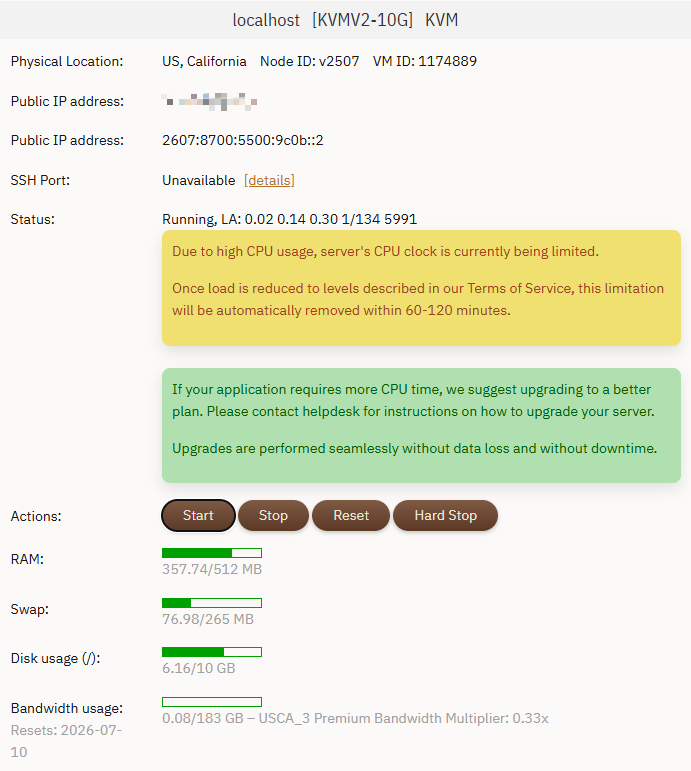
How to Fix High CPU Usage and Disk Full Issues on a Low-End Linux VPS
Is your Linux VPS suddenly becoming slow, unresponsive, or showing warnings about 100% CPU usage and a full disk?
This guide explains how to identify runaway processes, disable unnecessary background services, and safely reclaim disk space without damaging your Ubuntu system.
Common Causes of VPS Resource Exhaustion
1. Runaway Background Processes
Old scripts, proxy services, TOR nodes, or Python applications may continue running unnoticed and consume excessive CPU resources.
2. CPU Throttling by VPS Providers
Many VPS providers automatically reduce CPU performance when sustained high load is detected.
3. Log Files Filling the Disk
System journals, MySQL logs, application logs, and package caches can silently consume several gigabytes of storage over time.
Step 1: Identify High CPU Processes
top
Press Shift + P to sort by CPU usage.
Terminate abnormal processes:
sudo kill -9 4135 4143
Step 2: Disable Unnecessary Services Permanently
sudo systemctl stop tor
sudo systemctl stop tor@default

sudo systemctl disable tor
sudo systemctl disable tor@default
Step 3: Check for Scheduled Tasks
crontab -l
Edit if necessary:
crontab -e
Step 4: Find Large Directories
du -sh /* 2>/dev/null | sort -hr | head -n 10
Pay attention to:
- /var/log
- /var/lib/mysql
- /var/cache
Step 5: Clean Ubuntu Package Cache
sudo apt-get clean
Step 6: Clean Systemd Journal Logs
Check usage:
journalctl --disk-usage
Keep only recent logs:
sudo journalctl --vacuum-time=2d
Or limit total size:
sudo journalctl --vacuum-size=100M
Step 7: Empty Hosting Panel Recycle Bins
Check the recycle bin in CyberPanel, BT Panel, or aaPanel and permanently delete unnecessary files.
Step 8: Optimize MySQL for 512MB RAM VPS
Select the "512MB RAM or Below" optimization profile if available.
Frequently Asked Questions
Why is my Ubuntu VPS using 100% CPU?
Common causes include runaway scripts, proxy services, scheduled tasks, and poorly configured applications.
Is it safe to delete system logs?
Yes. Using journalctl --vacuum-time or journalctl --vacuum-size safely removes old logs.
How much disk space should remain free on a VPS?
Keep at least 20–30% free disk space whenever possible.
Conclusion
By identifying unnecessary background processes, disabling unused services, cleaning logs, and optimizing database memory usage, you can restore server stability and improve VPS performance significantly.